There’s a moment every IT person hits. You’re staring at an AWS bill that’s somehow $300 for what should be a simple personal project, and you think: I’m paying rent on a machine I’ll never own, to a landlord who can raise rates whenever they feel like it.
That’s the moment the homelab itch starts. And once it starts, it doesn’t stop.
The good news? Building a capable homelab in 2026 has never been more accessible. The used enterprise hardware market is flooded. Low-power ARM machines have matured. 10GbE switches that used to cost $800 now run under $200. The barrier isn’t money anymore—it’s knowing where to start.
So let’s start.
Why a Homelab Is Worth It (Even If You’re Just Starting Out)
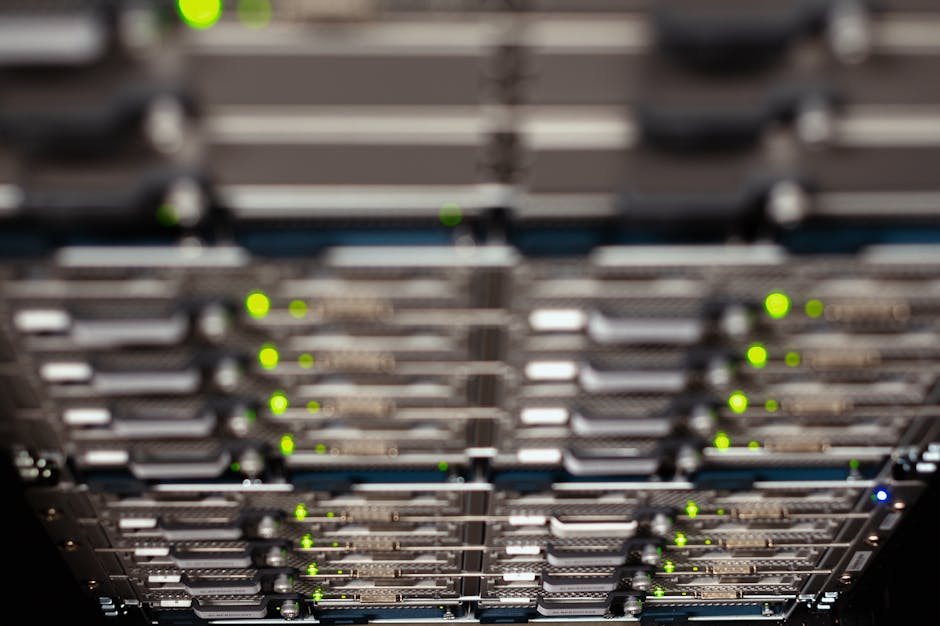
A homelab isn’t just a hobbyist toy. It’s a real education that no certification can replicate. You break things, you fix things, and at 2 AM when something stops working, there’s nobody to escalate to but yourself.
That’s not a bug. That’s the design.
Every skill gap you have—networking, storage, virtualization, containers, DNS, security—your homelab will expose it and give you a sandpit to solve it. Employers can tell the difference between someone who’s read about Kubernetes and someone who’s run it on their own hardware at home.
“The 2 AM problems teach more than any cert. When it’s your hardware and your config, you actually care if it works.”
Beyond the career angle, there’s the freedom angle. Self-hosted services mean your data lives with you, not in someone else’s data center with someone else’s terms of service. Your Plex server doesn’t get discontinued. Your Nextcloud doesn’t suddenly require a subscription. You own it.
The Budget Hardware Game: Where to Actually Look
Here’s where most people get it wrong. They see those slick new MSI XpertStation WS300 rigs at NVIDIA GTC 2026 and think that’s what a server looks like. Beautiful machines. Absolutely not what you need.
Your first homelab hardware should be embarrassingly cheap. Here’s the actual playbook:
- eBay refurbished enterprise gear: A Dell PowerEdge R720 or HP ProLiant DL380 Gen9 will run you $150-$300 and absolutely crush anything you throw at it for home use. Dual Xeon processors, ECC RAM, and IPMI out-of-band management. These machines were running production workloads six months ago.
- Mini PCs for low power: If noise and power bills matter (and they should), look at an Intel NUC or a Beelink mini PC. 15-35 watts idle. Enough muscle for a NAS, a DNS sinkhole, a VPN server, and a handful of containers. Around $100-$200 used.
- Raspberry Pi 4 or 5 for edge tasks: Pi-hole, Wireguard, Home Assistant, a lightweight monitoring stack. Cheap. Low power. Gets the job done. Don’t run your whole lab on ARM, but it earns its spot.
- Refurb switches: The Sodola SL510S-4T2XS just reviewed at under $170 for 6-port 10GbE managed. That’s a real number. A year ago that spec would have cost you $400+. 10GbE in a homelab used to be a flex. Now it’s just Tuesday.
The used enterprise market exists because companies refresh hardware on 3-5 year cycles. Their castoffs are your treasure.
Software Stack: Free Tools That Do Real Work
The hardware is just the foundation. The software is where your homelab actually becomes useful—and almost all of it is free.
Here’s a sensible stack for a beginner to intermediate homelab:
- Proxmox VE: Free hypervisor that runs KVM virtual machines and LXC containers on the same host. The UI is clean. The community is enormous. This is the right answer for most people.
- TrueNAS Scale: If you’re building a NAS for storage, TrueNAS Scale runs on Linux, supports Docker apps natively, and handles ZFS storage like a champ. Overkill? Maybe. Future-proof? Absolutely.
- Docker + Portainer: Once you have a base OS, Docker is how you deploy 90% of your self-hosted apps. Portainer gives you a GUI to manage containers without living in the terminal. Start here before you tackle Kubernetes.
- Pi-hole or AdGuard Home: DNS-level ad and tracker blocking for your whole network. Deploy it in a container, point your router’s DNS at it, and enjoy the internet the way it was meant to work.
- Tailscale or Wireguard: Secure remote access to your homelab from anywhere. Tailscale is the easy button. Wireguard is the DIY route that teaches you how VPNs actually work.
- Grafana + Prometheus: Monitor everything. CPU, RAM, disk, network. You’ll learn more about what’s actually happening in your systems from a good dashboard than from any textbook.
“Self-hosted services mean your data lives with you, not in someone else’s data center with someone else’s terms of service.”
The Real Cost: Time, Not Just Money
Let’s be straight with each other. A homelab will cost you time. Things will break. Config files will haunt you. You’ll rebuild a VM three times before you get it right, and the third time you’ll understand why.
That’s the whole point.
The people who get the most out of homelabs are the ones who treat every failure as a log entry, not a disaster. Write down what broke and how you fixed it. Keep a simple text file or a wiki (Obsidian, Notion, even a plain markdown file). Future you will be grateful.
Budget roughly $200-$500 to get something meaningful running from scratch in 2026. That gets you:
- One refurbed mini PC or entry-level rack server
- A managed switch with 10GbE if you shop right
- Some drives (check the used market on hard drives, but buy SSDs new)
- Enough cables and adapters to feel like you know what you’re doing
Compare that to what you’d pay AWS or Azure for equivalent compute over 12 months. The homelab pays for itself faster than you think—and it keeps paying in skills.
Building the Foundation for What’s Next

The homelab you build this year won’t be the homelab you run next year. That’s not a problem—that’s the evolution. You’ll learn what you actually need versus what sounded cool on a Reddit thread.
The real question isn’t whether you can afford a homelab. You can. A Raspberry Pi and a free tier VPS will get you started for under $50.
The real question is: what are you waiting for permission to learn?
Nobody’s going to hand you a lab. Nobody’s going to build you a curriculum. The homelab community will answer your questions—ServeTheHome, r/homelab, and a dozen Discord servers are full of people who were exactly where you are.
But you have to start. Pull the trigger on the cheap hardware. Break something. Fix it. Break it again on purpose just to make sure you understand why.
The cloud providers have spent billions convincing you that infrastructure is too complex to own yourself. They’re not wrong that it’s complex. They’re lying about the ownership part.
You can do this. And once you do, you’ll wonder why you ever paid someone else to do it for you.
 Scrivener.PRO